|
 |
 |
|
|
| |
Your
Portable Darkroom
Discover The Fundamentals For Choosing A
Laptop To Handle Your Digital Photography
By Jeffrey Nielsen
|
|
| |
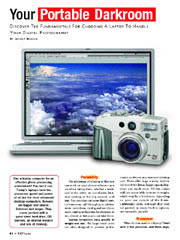 Can
a laptop computer be an effective photo-processing workstation?
You bet it can. Today's laptops have the processor speed and
power of all but the most advanced desktop computers. Screens
are bigger and clearer. Batteries last longer. They come packed
with a good-sized hard drive, CD burners, an internal modem
and lots of memory. Can
a laptop computer be an effective photo-processing workstation?
You bet it can. Today's laptops have the processor speed and
power of all but the most advanced desktop computers. Screens
are bigger and clearer. Batteries last longer. They come packed
with a good-sized hard drive, CD burners, an internal modem
and lots of memory.
Portability
The advantage of a laptop is that you can work on your photos
wherever you are when taking them, whether a weekend at the
cabin, an out-of-town business meeting or that big summer road
trip. You can clear out your digital camera's memory, cull through
your photos, make corrections, catalog and sort them, and e-mail
your favorites for everyone to see, almost as fast as you can
take them.
Laptop computers vary greatly in weight and size. The larger-sized
units are often designed to provide performance as diverse as
a standard desktop unit. These offer large screens, built-in
CD-R or DVD drives, larger-capacity batteries and much more.
All this comes with an appreciable increase in weight, which
may be a hindrance, depending on your use outside of the home.
Lightweight units, although they may not provide as many built-in
options, are extremely portable.
Processor
What do you need in a laptop? Start with a fast processor, and
these days, you can find laptops that rival most desktops for
processor speed. Consider the Macintosh PowerBook, with an 800
MHz chip, or the Macintosh iBook at 700 MHz. On the Windows
side, the Sony Vaio series of laptops is in the 1.1 GHz range,
Dell Mobile PCs come with 1.6 or 1.7 GHz, and the Toshiba Satellite
series run up to 1.7 GHz. Remember that these laptops are all
faster than any computer on the market just a couple
years ago.
You don't necessarily need to invest in the fastest processor.
A moderate processor will likely be more than sufficient for
handling the image files you'll import into your computer. Instead
of purchasing a laptop with the fastest processor, invest your
money in more RAM and hard drive capacity. An increase in RAM
and hard drive space is relatively more important than processor
speed.
Hard Drive
New laptops come with 30 to 40 gigabyte hard drives, which should
be adequate for normal photo usage. If you need additional drive
storage, your only option may be to add an external drive. Stand-alone
hard drives are available up to 160 gigabytes in size.
If you're shooting and importing large numbers of image files
to your laptop, an external hard drive is indispensable as a
backup against a hard drive or computer failure. Though you
can always record your image files to individual CD-R discs,
a large-capacity external drive allows you to conveniently transfer
huge numbers of files from one computer to the other.
RAM
Your new laptop should be able to handle 256 MB of RAM, adequate
for photographic applications now and in the near future. Check
to see how much additional memory can be plugged into the laptop
you're considering as some models don't have expansion space.
Connectivity
External ports such as USB or FireWire provide the ability to
connect external devices such as card readers or external hard
drives to your computer. The number of ports is particularly
important if you intend to use multiple external accessories
with your laptop. Your laptop should have a minimum of two USB
ports. A FireWire port, while a significantly faster interface,
is primarily important if you plan to import DV footage from
a camcorder or a high-resolution digital SLR.
Screens
Laptops are available with a variety of screen sizes. These
days, most models are equipped with a 13- or 14-inch screen,
which should be adequate for most photo work. There are laptops
with screens up to 16 inches in size, and if you're doing a
lot of photo editing on the run, a larger screen makes life
easier. But larger screens cost more, and add both inches and
pounds to a laptop's size. Try out the different screen sizes
to see what works for you before making a final decision.
CD-R Drive
Most laptops now come with a recordable CD-R drive, either standard
or as an option. We strongly recommend that you purchase a laptop
that includes this feature, as it's a great way of backing up
your digital files. With capacities of approximately 600 MB,
these discs are compact and convenient and make transporting
images from one computer to another much easier.
Batteries
As your laptop may often be used when you're away from a fixed
power source, battery performance becomes of utmost importance.
On average, a laptop may provide up to two to three hours of
continuous performance from their rechargeable batteries. As
most manufacturers provide a rating for battery performance
under ideal circumstances, assume a performance time that's
20 to 30 percent less than rated when used under real-world
conditions. If you know you're going to use your laptop for
extended periods without AC current, invest in a second battery
for your unit. This also extends the performance life of individual
cells as you alternate between them.
Expansion
The downside of a laptop is that there may be little room for
expansion. Unlike a desktop unit, you don't have a large number
of expansion slots for memory, graphic and sound cards. However,
you may have the ability to upgrade memory and expand the capabilities
of your computer using external accessories such as hard drives.
|
|

Home | Articles
& Reviews | Current
Issue | Past Issues
Staff & Contributors | Photo
Books | HelpLine
| Glossary
Advertiser
Info | Links | Shopper
| Subscriptions | eStore
Account Inquiry | Submissions
| Contact Us | About
Us
| Privacy Statement
|
|
Click here for

























|